
Design and first impressions
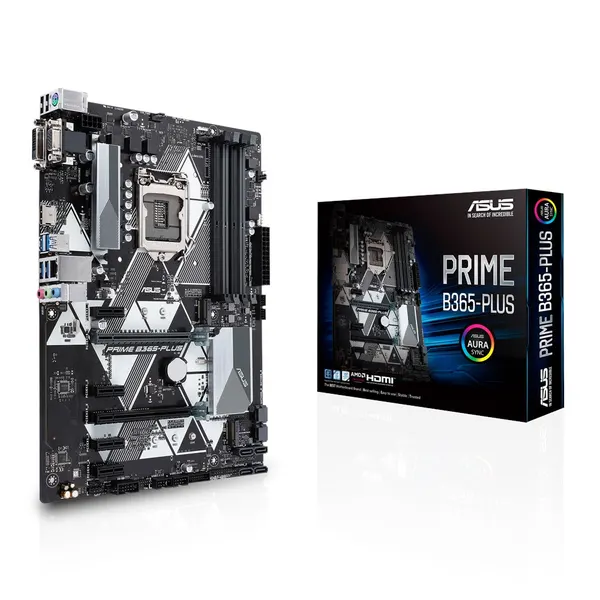
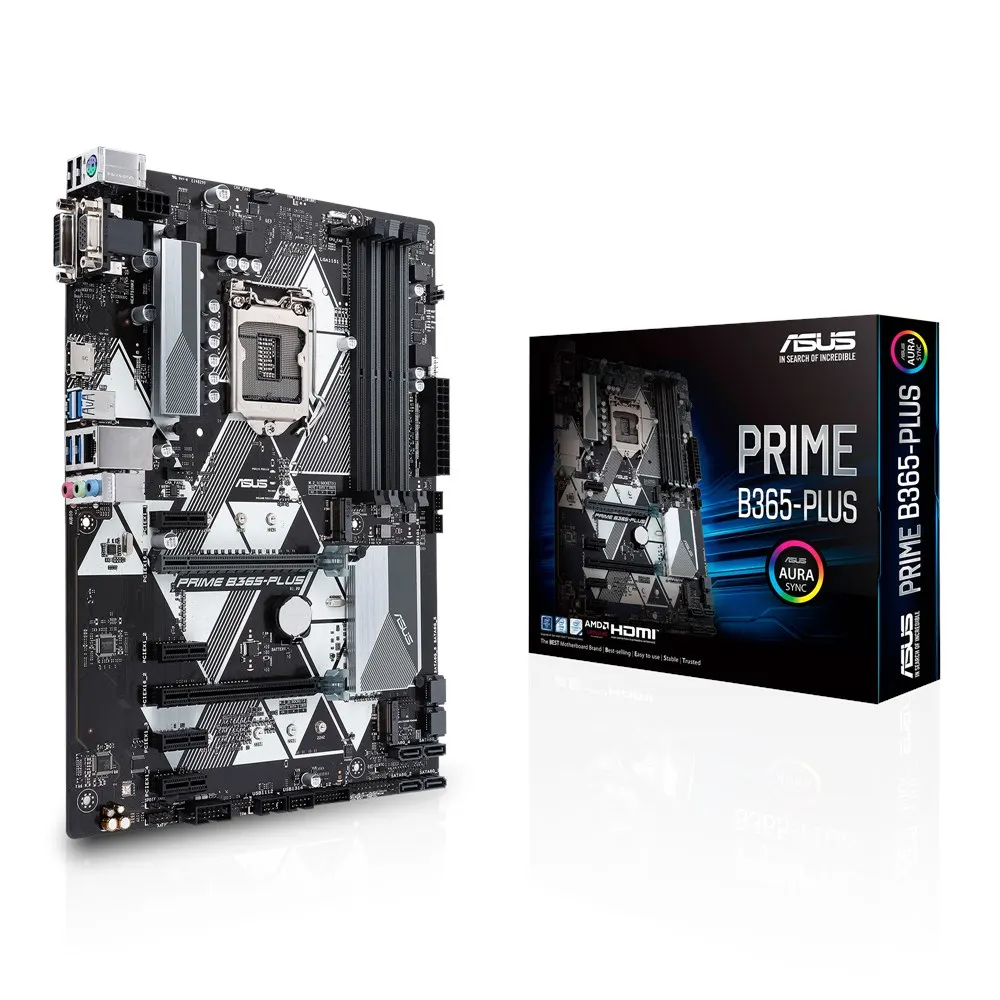
The ASUS PRIME B365-PLUS is a full-size ATX motherboard built around a fairly traditional layout, and that is a good thing for the kind of buyer this board targets. At 305 x 234 mm, it gives you the working room that smaller micro-ATX boards often lack. The CPU socket area is open enough for installing common air coolers, the DIMM slots are easy to reach, and the board spacing generally makes cable routing less frustrating during a first build.
ASUS keeps the styling restrained. You are not getting heavy armor, oversized heatsinks, or the sort of built-in RGB presentation that dominates many newer gaming boards. Instead, the PRIME B365-PLUS looks practical and clean, with a black PCB and light silver accents. That makes it a sensible fit for office machines, family desktops, school PCs, and budget-conscious gaming systems where stability matters more than visual extras.
It also feels like a board from a period when manufacturers still expected users to populate SATA ports, use multiple PCIe slots, and keep a system for years. The overall impression is of a mainstream board made for everyday use rather than a flashy showcase build. If you want a simple Intel platform with familiar ASUS layout choices and clear labeling, it starts on the right foot. If you want lots of built-in lighting, Wi-Fi, or a premium rear I/O shield preinstalled, this is plainly not that kind of product.
Ready to try ASUS PRIME B365-PLUS Intel B365 LGA 1151 (Socket H4) ATX?
Check the latest pricing & offers.
Affiliate link — we may earn a commission at no extra cost to you.
Platform and compatibility
This motherboard uses Intel's B365 chipset and the LGA 1151 socket for 8th Gen and 9th Gen Intel Core processors, along with compatible Pentium Gold and Celeron chips from the same general platform. In practical terms, that means it is best suited to CPUs such as the Core i3, Core i5, or locked Core i7 models from those generations. It can also physically support some unlocked K-series chips, but buying a K-series processor for a B365 board makes limited sense because this chipset does not support CPU overclocking.
Memory support is one of the board's straightforward strengths. You get four DDR4 DIMM slots and support for up to 64 GB of RAM. That is enough for a comfortable office machine, a general-purpose home desktop, or a midrange gaming build. It is also useful if you are building a system that may grow over time, since starting with two sticks leaves room to expand later.
Because this is an older Intel platform, compatibility planning matters more than it would with current-generation hardware. You should buy it if you are intentionally building around a compatible 8th or 9th Gen Intel CPU, replacing a failed board in an existing machine, or upgrading an older desktop without changing the entire platform. You should skip it if you are starting from scratch and comparing it against newer Intel or AMD systems at similar total cost, because newer platforms usually offer better long-term upgrade paths, faster connectivity, and broader SSD support.
Typical market pricing for boards like this can vary a lot depending on stock, condition, and whether you are buying new old stock or used. On the used market, older B365 boards often appear at much more reasonable prices than rare unopened stock. That matters, because paying a premium simply for a discontinued board can be hard to justify unless you specifically need this socket and chipset.
Performance and everyday use
Performance here is less about the motherboard adding speed and more about the board staying out of the way. The PRIME B365-PLUS is built for stable operation with mainstream Intel processors at stock settings. Pair it with a Core i5 and an SSD and you have the ingredients for a responsive everyday PC that handles web browsing, Office work, streaming, school tasks, and light photo editing without fuss. Add a midrange graphics card and it can serve perfectly well as a 1080p gaming system built around older Intel hardware.
The B365 chipset does not support CPU overclocking, so expectations should be realistic. This is not the board to buy for enthusiasts who enjoy pushing voltages and multipliers. Memory tuning is also more limited than on enthusiast-class Intel chipsets. For many users, though, that simplicity is part of the appeal. Stock settings tend to be easy to manage, and there is less temptation to spend time chasing small performance gains.
ASUS usually does a good job with its UEFI BIOS, and that helps here. A clear BIOS matters on a board aimed at mainstream builders because it affects everything from boot order setup to fan control. If you are building your first PC, a tidy BIOS can save time and reduce mistakes. If you are an experienced builder, it still gives you enough control over storage settings, fan curves, and basic tuning to make the machine behave the way you want.
In day-to-day use, this kind of motherboard tends to disappear into the background, which is exactly what many buyers want. It is there to provide stable CPU, memory, storage, and expansion support rather than headline-grabbing extras. For a productivity machine or a family desktop that may stay in service for years, that is often more valuable than novelty.
Connectivity, expansion, and usability
The PRIME B365-PLUS benefits from the space of the ATX form factor. ASUS includes multiple PCIe slots, which gives you room for a graphics card plus additional add-in cards such as Wi-Fi, sound, or capture hardware. That is one of the practical reasons to choose this board over a more compact option if your case can accommodate it.
Storage support is also in line with what most mainstream builders need from this era. You get M.2 support for NVMe or SATA SSDs, along with several SATA ports for 2.5-inch SSDs and hard drives. That is useful if you want to run a fast boot drive while keeping larger mass storage for media or backups. Compared with many newer boards, the storage setup is less flexible and less dense, but for a typical single-SSD plus one-or-two-drive setup, it is enough.
USB connectivity is practical rather than generous. You can expect the basics for peripherals, external drives, and front-panel case ports, but not the newer high-speed USB standards or the abundance of Type-C options found on current boards. Rear I/O on boards in this class is usually serviceable, not luxurious. If you rely on lots of fast external storage or want modern front-panel USB-C, this platform can feel dated.
Cooling and fan support should be adequate for a mainstream build, especially with a locked Intel CPU and a conventional air cooler. It is not aimed at elaborate custom loop setups or extreme high-wattage configurations. Again, this fits the board's purpose: sensible desktop systems, not experimental enthusiast projects.
One thing worth noting is that integrated conveniences common on newer boards are limited here. There is no built-in Wi-Fi, and depending on your exact setup, you may need expansion cards or USB adapters for features that many buyers now expect as standard. That is not a deal-breaker for a wired desktop in a fixed location, but it is something to budget for.
Things to consider before buying
The biggest reason to pause before buying is platform age. LGA 1151 for 8th and 9th Gen Intel CPUs is no longer a forward-looking choice. If you already own a compatible processor, this board can make a lot of sense. If you do not, building around a retired chipset can be less attractive once you factor in CPU pricing, memory, and the limited upgrade path.
There is also the matter of features. The PRIME B365-PLUS covers the essentials well, but it does not try to match modern premium boards. You are missing extras such as CPU overclocking support, newer connectivity standards, and integrated features like onboard Wi-Fi. That is acceptable in a value-focused build, but less appealing if you expect a motherboard to carry your next several rounds of upgrades.
It suits buyers who want a dependable replacement board, a practical office PC foundation, or a tidy mainstream Intel build using existing compatible parts. It is less suitable for people shopping for a fresh enthusiast gaming platform, heavy workstation expansion, or a build centered on the newest SSDs and I/O standards.
How it compares
The PRIME B365-PLUS sits in the middle ground between stripped-back budget boards and more expensive enthusiast models from the same era. Compared with lower-end micro-ATX options, it gives you more room to work, more expansion flexibility, and a less cramped building experience. Compared with Z-series Intel boards, it gives up overclocking and some premium extras in exchange for a simpler, often more affordable package.
That makes it a sensible choice for people who do not need enthusiast features. It is easy to see the appeal if your priorities are basic reliability, enough RAM capacity for everyday work, a couple of storage options, and space for a graphics card. It is harder to recommend if priced too close to newer platforms, because age becomes much harder to ignore once the discount disappears.
Final thoughts
The ASUS PRIME B365-PLUS is a solid motherboard for a very specific kind of buyer: someone building around an 8th or 9th Gen Intel CPU who values a familiar ATX layout, stable stock operation, and a clean, practical feature set. It does not pretend to be a high-end gaming board, and that honesty works in its favor. Four RAM slots, sensible expansion, M.2 support, and ASUS' generally approachable BIOS make it easy to live with.
Its limits are also clear. There is no CPU overclocking, no modern platform upgrade path, and fewer built-in conveniences than many current boards. But if you need a dependable home for compatible Intel hardware you already own, or you are reviving an older system, it remains a reasonable and user-friendly option. The key is buying it at the right price. As a cost-effective platform match for older components, it makes sense. As an expensive route into a discontinued socket, much less so.
Related reading
Compare more options: Shop all ASUS deals.
Ready to try ASUS PRIME B365-PLUS Intel B365 LGA 1151 (Socket H4) ATX?
Check the latest pricing & offers.
Affiliate link — we may earn a commission at no extra cost to you.